
Open-source alternatives to Canva for design and graphics
This hub lists open-source design tools people compare with Canva-style cloud-based graphics software. Canva is named only to identify that class of product. Tools are GPL/MIT/Apache licensed.
How we pick
- Actively maintained with recent releases (2024-2026).
- License copied from the repository LICENSE file.
- Design/graphics capabilities (vector, raster, or layout).
- No quality ranking; we have no sourced side-by-side against Canva.
Comparison
| Name | License | Stars (GitHub) | Best for |
|---|---|---|---|
| Inkscape | GPL-3.0-or-later | 4,012 | Free GPL vector editor for SVG illustration, logos, and print/web graphics. |
| Krita | GPL-3.0-or-later | 10,603 | Free GPL digital painting studio for illustration, comics, concept art, and VFX. |
| Penpot | MPL-2.0 | 61,389 | MPL-2.0 self-hostable design platform for UI, prototypes, and design systems. |
| Doory | AAL | 1,674 | OSI Attribution Assurance License (AAL) browser design editor; GitHub calls it a Canva alternative. |
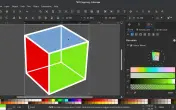

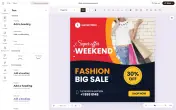
Listed tools with their own pages: Inkscape (GPL-3.0-or-later binaries, 4,012 GitLab stars, sourced 2026-10-19), Krita, Penpot (MPL-2.0, 61,389 GitHub stars, release 2.18.3, sourced 2026-10-20), and Doory (OSI AAL, 1,674 GitHub stars, v0.1.0, sourced 2026-10-21; GitHub description “Open source canva alternative”). Scribus remains commonly discussed and is not a dedicated URL yet. UI-design as a Figma-class job: Figma alternatives (FigCraft). For image AI models, see Midjourney alternatives (Fibo 2.0 is a gated CC BY-NC edit/generate checkpoint — not a Canva template site and not commercial-free). For raster editing, see Photoshop alternatives (PhotoCraft vs GIMP; How to install PhotoCraft). For a RAW catalog, see Lightroom alternatives. For SVG vs Illustrator, see Adobe Illustrator alternatives. Adobe’s template-class query is a separate URL: Adobe Express alternatives.
Why people look for Canva alternatives
Canva is a popular cloud-based graphic design platform with drag-and-drop templates for social media, presentations, posters, and more. People search for alternatives because:
- Open-source preference: Want tools they can audit, modify, and self-host
- Privacy: Prefer not to upload designs to cloud services
- Cost: Canva’s free tier has limits; Pro/Teams subscriptions add up
- Offline work: Need tools that work without internet
- Professional workflows: Integration with Git, version control, or design systems
Design workflow differences
Canva excels at quick social graphics via templates. Open-source tools typically offer:
- More control: Professional vector/raster editing, color management
- Steeper learning curves: Fewer templates, more manual design
- Self-hosting options: Run your own server (Penpot, Doory)
- Cross-platform: Desktop apps that work offline
We do not claim these match Canva’s ease-of-use for beginners or template library scale.
Listed tools: quick comparison
| Tool | Type | License | Best for |
|---|---|---|---|
| Penpot | Web-based vector | MPL-2.0 | Collaborative design, self-hosting |
| Inkscape | Desktop vector | GPL-3.0 | Professional SVG editing, logos |
| Krita | Desktop raster | GPL-3.0 | Digital painting, illustration |
| Doory | Browser editor | AAL (OSI) | Templates/social graphics; ten starters (README) |
| Scribus | Desktop layout | GPL-2.0+ | Print publishing, magazines, PDFs |
All stats are verified from official repositories as of the dated checks on each tool page, or marked unverified.
Listed options
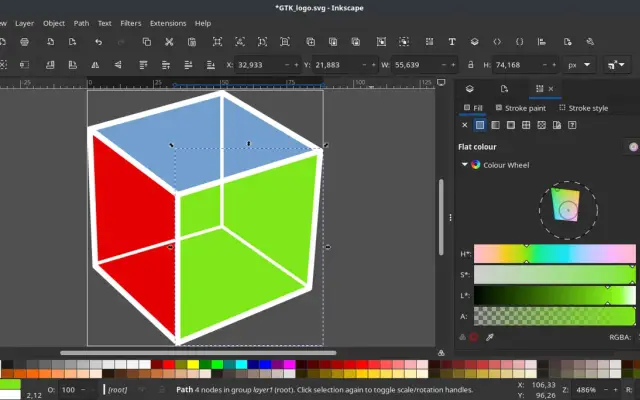
Inkscape
Free GPL vector editor for SVG illustration, logos, and print/web graphics.

Krita
Free GPL digital painting studio for illustration, comics, concept art, and VFX.
Penpot
MPL-2.0 self-hostable design platform for UI, prototypes, and design systems.
Doory
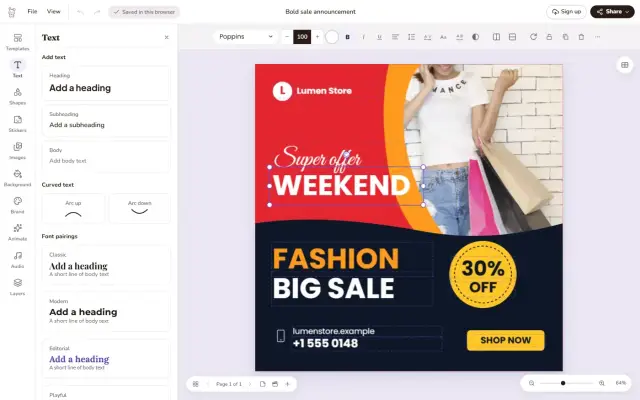
OSI Attribution Assurance License (AAL) browser design editor; GitHub calls it a Canva alternative.
FAQ
What is the best open-source alternative to Canva?
It depends on your workflow. Inkscape is mature vector graphics (GPL-3.0-or-later). Krita focuses on digital painting (GPL-3.0-or-later). Penpot is a self-hostable web design platform (MPL-2.0, 61,389 stars as of 2026-10-20) — not a template site. Scribus is commonly discussed for DTP and is not a dedicated URL yet. Doory is a browser editor under OSI AAL (1,674 stars, v0.1.0 as of 2026-10-21); its README says ten starter templates. We do not claim any matches Canva's ease-of-use or template library.
Can these tools replace Canva for social media graphics?
Many can create social media graphics, but template ecosystems differ. Canva's strength is pre-made templates; open-source tools typically require more manual design. Check each tool's documentation for workflows.
Are these tools really free?
Yes. All listed tools are open-source with licenses allowing free use. Some projects accept donations or offer paid support, but the software itself is free to download and use.
Do they work on Mac/Windows/Linux?
Inkscape and Krita are cross-platform desktop apps. Penpot is web-based and self-hostable (MPL-2.0). Scribus is commonly discussed and not a dedicated URL yet.
Sources & verification
- https://github.com/penpot/penpot
- https://gitlab.com/inkscape/inkscape
- https://invent.kde.org/graphics/krita
- https://github.com/scribusproject/scribus
- https://github.com/shaongitbd/doory
- https://github.com/shaongitbd/doory/blob/main/LICENSE
- https://opensource.org/license/aal
- https://doory.art
License notes are not legal advice. Read the original LICENSE. Trademark & disclaimer.