
GIMP vs Photoshop (2026): Free Editor or Creative Cloud?
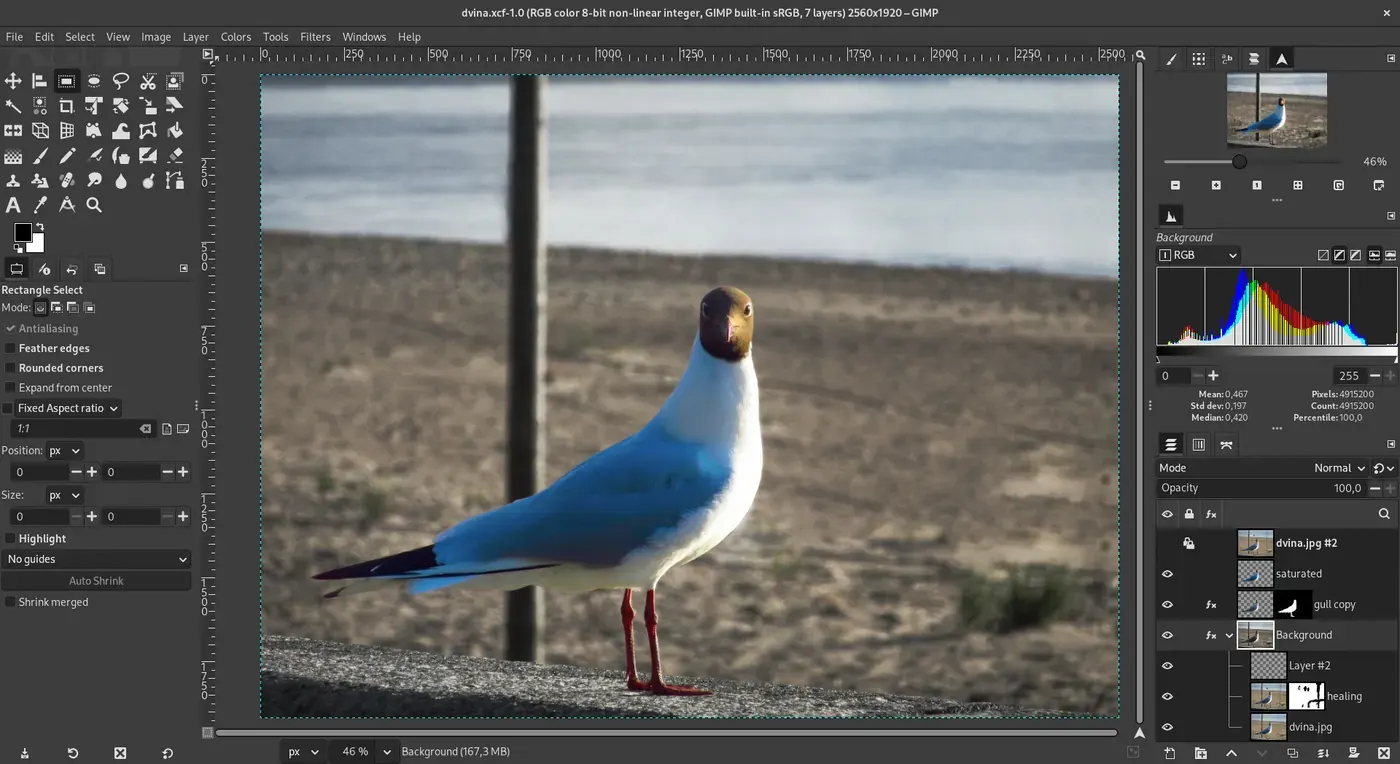
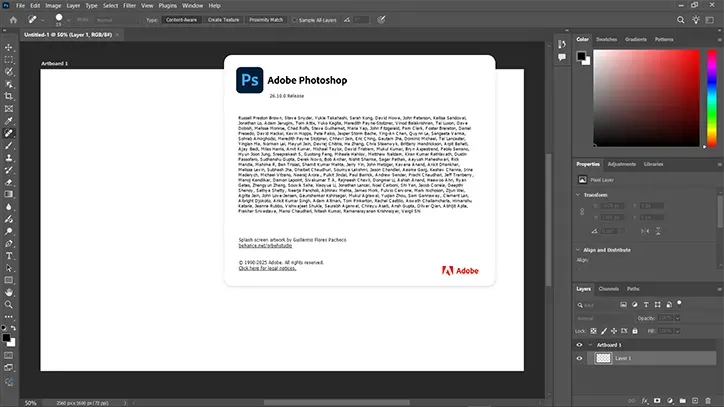
| Dimension | GIMP | Photoshop | Source |
|---|---|---|---|
| License | GPL-3.0-or-later (seed listing / GNOME GitLab) | Proprietary (Adobe General Terms of Use) | gitlab.gnome.org/GNOME/gimp; adobe.com/legal/terms.html |
| Price | free (open-source) | paid Creative Cloud (price not copied here) | Licenses / Adobe product page |
| Current release (this check) | GIMP 3.2.6, labeled current stable on gimp.org/downloads (notes date 2026-09-10) | Creative Cloud SKU; we did not copy a desktop version string from Adobe’s JS-heavy product page | gimp.org/downloads (2026-10-22); adobe.com/products/photoshop.html |
| Platforms (sourced) | Windows 10 1903+ (installer), macOS 11+, Linux AppImage/Flatpak/Snap; 32-bit binaries ended in 3.2 | Adobe markets desktop plus an online photo/design app; we did not enumerate every SKU | gimp.org/downloads; GIMP 3.2 release notes; Adobe product page title |
| Native document | XCF stores layers, channels, paths (undo excluded). Other formats go through Export | PSD / PSB is the commercial interchange people search; we did not retest Photoshop’s own save | GIMP 3.0 User Manual ch. 6 (docs.gimp.org, opened 2026-10-22) |
| Documented 3.2 editing model | Non-destructive text, link, and vector layers; GEGL filters; MyPaint Brush v2; pass-through group filters | Commercial pixel editor with subscription extras we did not independently list | gimp.org/release-notes/gimp-3.2.html |
| Community snapshot (2026-10-22) | 6,540 stars / 909 forks on the GitHub GNOME/gimp mirror; last push 2026-10-22 | Not a public GitHub product in this check | GitHub API GNOME/gimp |
| Generative / hosted AI | Not a hosted image model. GEGL filters and plug-ins, not a Midjourney-class product | Commercial suite; we did not copy an Adobe Firefly feature list in this pass | gimp.org/about; Adobe product page (no feature table extracted) |
| Performance / quality | Not independently tested | Not independently tested | n/a |
When to choose which
- Production-proven free editor this week: GIMP — 3.2.6 is the stable download we opened on gimp.org. We did not test a client retouch.
- Paid Creative Cloud pixel editor: Photoshop — That is the commercial product. Not a quality score.
- Digital painting, comics, concept art: Krita — Different job. See Krita vs Photoshop and Krita vs GIMP.
- Tracking a new Rust-native PSD-aware editor: PhotoCraft — Early alpha v0.12.0. See PhotoCraft vs Photoshop and PhotoCraft vs GIMP.
- RAW catalog rather than layers: darktable — Different job. See darktable vs Lightroom.
Read the entity pages: GIMP and Photoshop (identification only). Hub: Photoshop alternatives. Same cluster: PhotoCraft vs GIMP (this site’s existing traffic landing), PhotoCraft vs Photoshop, Krita vs Photoshop, Krita vs GIMP. Install: How to install GIMP 3.2, Switch from Photoshop to GIMP.
GIMP vs Photoshop at a glance
GIMP is the long-standing GNU Image Manipulation Program. gimp.org/downloads presented GIMP 3.2.6 as the current stable release on 2026-10-22 (release notes date 2026-09-10). License in our seed: GPL-3.0-or-later. Canonical code: gitlab.gnome.org/GNOME/gimp. GitHub GNOME/gimp mirror on 2026-10-22: 6,540 stars / 909 forks.
Photoshop is Adobe’s proprietary Creative Cloud editor. The product page we opened on 2026-10-22 is adobe.com/products/photoshop. Terms: Adobe General Terms of Use. We did not copy a price or a version string from that page.
Stars and subscriptions are not quality. This page is a license / job split, not a retouch bake-off.
Features people actually search for
Copied from official docs. Not independently tested on a forkalt machine.
| Job | GIMP 3.2 (release notes / 3.0 manual, 2026-10-22) | Photoshop (identification) |
|---|---|---|
| License / price | GPL-3.0-or-later, free | Proprietary Creative Cloud, paid (price not copied) |
| Layers | Pixel layers plus non-destructive text, link, and vector layers | Commercial layer model; we did not retest |
| Adjustments / filters | Non-destructive GEGL filters; filters on channels; GEGL Vibrance; pass-through groups can stack filters like an adjustment stack | Commercial adjustment/filter stack; not listed here |
| Native file | XCF is the only format that stores everything except undo | PSD / PSB is the commercial interchange |
| Other formats | Import then Export; other formats keep some properties and lose others | Commercial codecs; not retested here |
| Brushes | Own brush engine + MyPaint Brush v2 (20 new brushes in 3.2) | Commercial brush engine; not listed here |
| 32-bit OS | 3.2 ended 32-bit binary distribution | Not copied |
| Generative AI | Not a hosted image model | Commercial suite extras not copied in this pass |
GIMP 3.2 link layers are documented as similar to a “linked smart object” idea: an external file (for example an SVG edited in Inkscape) can update in the composition. That is GIMP’s own analogy, not a Photoshop feature claim we tested.
When to pick each
- Need a production-proven free editor this week: GIMP 3.2.6 from gimp.org/downloads.
- Need the commercial Creative Cloud editor: Photoshop (identification) via Adobe.
- Need painting, comics, concept art: Krita 5.3.4.1 — Krita vs Photoshop.
- Need a new Rust-native PSD-aware editor and accept alpha: PhotoCraft v0.12.0 — PhotoCraft vs Photoshop, PhotoCraft vs GIMP.
- Need a RAW catalog, not layers: Lightroom alternatives — darktable vs Lightroom.
- Need SVG / vectors as a primary job: Inkscape on Adobe Illustrator alternatives.
- Need UI frames, not pixels: Figma alternatives.
- Need local text-to-image, not a pixel editor: ComfyUI vs Midjourney.
Install notes (GIMP 3.2.6)
Official host: gimp.org/downloads (opened 2026-10-22). Checksums on that page:
| Asset | SHA256 (gimp.org, 2026-10-22) |
|---|---|
gimp-3.2.6-setup.exe |
9337cccbc01d4098ee7a3dab215b3afbe6ece99c5287c92441d6f12cf541ebca |
gimp-3.2.6-arm64.dmg |
854573aec2be6a185aa021109c3c0ca94f210379204b704231bdd191b4060294 |
gimp-3.2.6-x86_64.dmg |
ebe633642445d4d6fc6b68e7be7ca581c0b28c18dc9de7747849528c982e5677 |
GIMP-3.2.6-x86_64.AppImage |
79ea41bc9b06f78fda181849a9ca8e42d83f1124dedb756f4d52352e2465010f |
Documented constraints from the same page: Windows installer needs Windows 10 1903+; macOS needs 11 Big Sur+; AppImage notes Debian 13 or newer; the GIMP team does not ship Apple App Store packages. We have not run these installers on a named forkalt machine. Longer outline: How to install GIMP 3.2.
Related on this site
FAQ
GIMP vs Photoshop — which is better?
We have no sourced bake-off. GIMP 3.2.6 is free GPL software from gimp.org. Photoshop is Adobe’s paid Creative Cloud editor. License and price are the sourced differences, not a quality rank.
Can GIMP open Photoshop PSD files?
GIMP reads many graphics formats through plug-ins. The 3.0 user manual (chapter 6, opened 2026-10-22) says only native XCF stores everything about an image (except undo). Other formats preserve some properties and lose others. We did not retest PSD import quality on a named machine.
Is GIMP 3.2 a Photoshop alternative with non-destructive layers?
The 3.2 notes highlight non-destructive text, link, and vector layers, plus GEGL filter updates and a pass-through group trick that can mimic an adjustment-layer stack. That is GIMP’s own wording, not a Photoshop parity claim.
How do I install GIMP instead of Photoshop?
Use gimp.org/downloads. Current stable on 2026-10-22 is GIMP 3.2.6. Do not use Apple App Store listings — the download page says the GIMP team does not ship those. Guide: How to install GIMP 3.2, and Switch from Photoshop to GIMP.
Should I use PhotoCraft instead of GIMP?
PhotoCraft v0.12.0 is early-alpha Rust. GIMP is the mature free editor. See PhotoCraft vs GIMP and PhotoCraft vs Photoshop.
Can I use GIMP and Photoshop together?
Yes. Licenses differ (GPL-3.0-or-later vs proprietary). That is not legal advice.
Sources & verification
- https://www.gimp.org/downloads/
- https://www.gimp.org/release-notes/gimp-3.2.html
- https://www.gimp.org/about/
- https://docs.gimp.org/3.0/en/gimp-images-out.html
- https://gitlab.gnome.org/GNOME/gimp
- https://github.com/GNOME/gimp
- https://www.adobe.com/products/photoshop.html
- https://www.adobe.com/legal/terms.html
License notes are not legal advice. Read the original LICENSE. Trademark & disclaimer.